


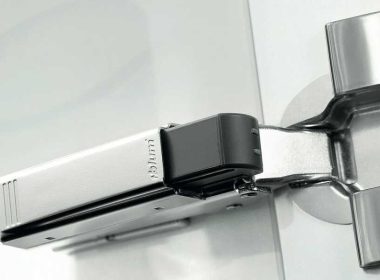
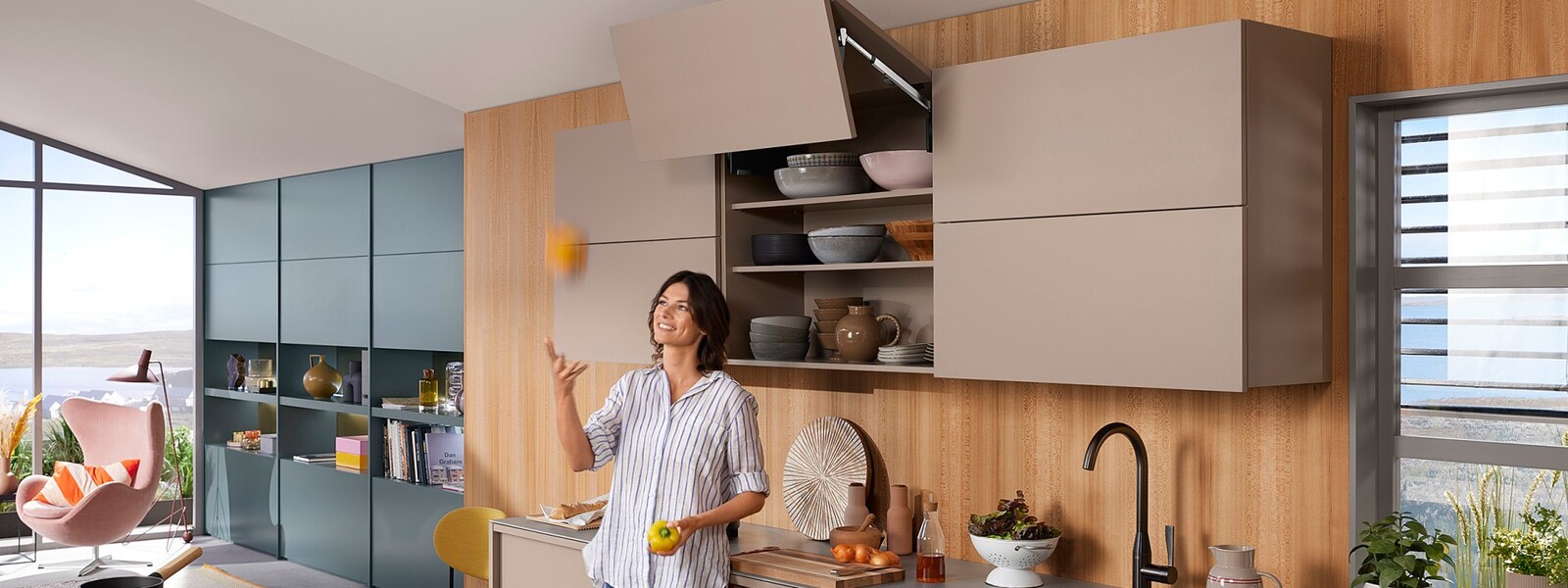
Blum AVENTOS lift systems help wall cabinet doors move up and out of the way, which improves access, workflow, and cabinet design.
The key to a clean install is choosing the correct AVENTOS model, mounting the lift mechanisms accurately, setting the lift force to the door weight, then fine-tuning the door gaps, opening angle, and soft-close action.
This guide covers setup and adjustment basics for AVENTOS HKi, HF top, HS top, HL top, HK top, HK-S, and HK-XS. Always confirm drilling, boring, power factor, and part selection with Blum’s current instructions for the exact application.
Quick Skim: Blum AVENTOS Models
| AVENTOS model | Best for | Door motion | Key setup focus |
|---|---|---|---|
| AVENTOS HKi | High-end integrated cabinet designs | Stay lift | Mill the cabinet side accurately and adjust from the front |
| AVENTOS HF top | Tall wall cabinets with two-part fronts | Bi-fold lift | Align both fronts and set the power factor correctly |
| AVENTOS HS top | Large single fronts | Swings up and over the cabinet | Check top clearance and tune the lift force |
| AVENTOS HL top | Appliance garages and parallel lift doors | Lifts parallel to the cabinet | Confirm vertical travel and use the required stabilizer |
| AVENTOS HK top | Standard wall cabinets | Stay lift | Use the integrated positioning template and set the opening angle |
| AVENTOS HK-S | Small wall cabinets, above refrigerators, pantries | Compact stay lift | Match the mechanism to small, light doors |
| AVENTOS HK-XS | Small cabinets and built-ins | Small stay lift | Pair with the right hinges and tune the power setting |
Blum states that the AVENTOS family includes fold-up, up-and-over, lift-up, and stay-lift options, with doors moving up and away from the cabinet for easier access.
Before You Start: Confirm the Application
Do not start with the lift mechanism. Start with the cabinet.
Check these items first:
| Checkpoint | Why it matters |
|---|---|
| Cabinet height and width | Each AVENTOS model has its own application range |
| Door material and weight | The lift force must match the front |
| Overlay, inset, or frame style | Mounting positions may change |
| Handle, TIP-ON, or SERVO-DRIVE use | Motion technology affects planning |
| Ceiling, crown, and adjacent cabinet clearance | The door must open without hitting nearby surfaces |
| Required opening angle | Some models include or accept opening angle stops |
| Jobsite access | Large fronts may need extra handling during install |
Confirm the exact lift mechanism, arm package, mounting plates, hinges, and motion technology through Blum’s current planning tools or installation sheets before ordering. AVENTOS performance depends on cabinet size, front weight, and the selected power factor. This helps avoid pairing the wrong lift mechanism, arm assembly, mounting plate, or front fixing bracket.
General Setup Steps for Blum AVENTOS Lift Systems
Most AVENTOS installs follow the same basic sequence, even though each model has different hardware.
1. Build and square the cabinet
A lift system will not hide an out-of-square box. Check that the cabinet is square, level, and built to the correct inside dimensions before installing hardware.
Pay close attention to:
- Side panel thickness
- Top and bottom panel alignment
- Back panel squareness
- Face frame or frameless construction
- Door overlay or inset reveal
Small cabinet errors can turn into large door-gap problems once the lift hardware is under tension.
2. Mark or confirm the mounting locations
Use the Blum instructions, boring templates, or integrated positioning features for the exact model.
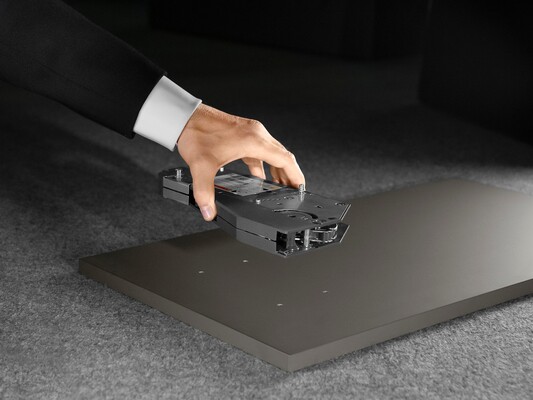
AVENTOS HK top includes symmetrical lift mechanisms with an integrated positioning template, which helps reduce measuring and pre-drilling during installation.
For repeat shop work, templates and boring aids help improve speed and consistency across multiple cabinets.
3. Install the lift mechanisms
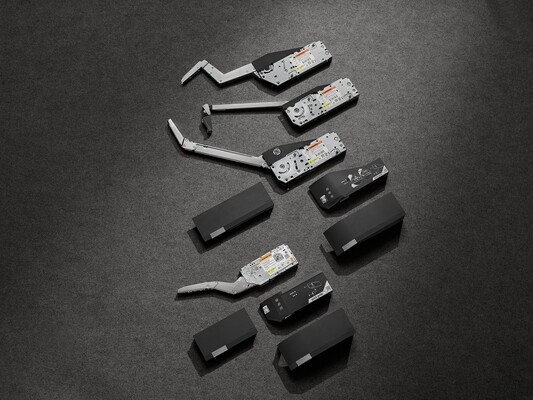
Mount the lift mechanisms flush, square, and tight to the cabinet side. Do not force parts into position. If screw locations pull the mechanism out of alignment, stop and correct the layout before moving forward.
For AVENTOS top models, Blum notes that lift mechanism adjustment can be made from the front, even with the cover cap in place on several systems.
4. Attach arms, levers, or stabilizers
Install the arms or levers based on the model. Some systems use removable levers or telescopic arms to make cabinet manufacturing and transport easier.
On wider or model-specific applications, install the stabilizer or cross component as directed. Do not skip stabilization when the instructions call for it.
5. Attach the front fixing brackets
Mount the brackets to the door or front using the correct boring pattern. Confirm left and right orientation, especially on two-part fronts or aluminum frame applications.
This is also the time to inspect the front for bow, twist, or uneven edging. Hardware adjustment cannot fully correct a warped door.
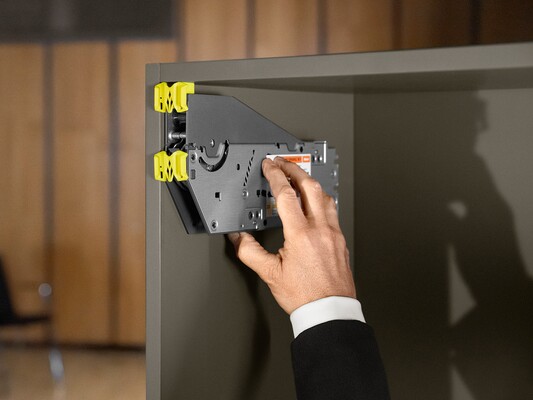
6. Clip the door onto the mechanism
Many AVENTOS systems use Blum’s CLIP technology for quick, tool-free front attachment. Blum describes this CLIP mechanism as quick and easy for front assembly on multiple AVENTOS models.
Support larger doors during this step. Do not let the lift mechanism carry an unsecured front.
7. Set the lift force
This is the most important adjustment.
Use a cordless screwdriver or hand tool as directed to increase or decrease the lift mechanism power until the door:
- Opens smoothly
- Holds in any position
- Does not drift down
- Does not spring upward
- Closes with control
Blum states that the lift mechanism should be adjusted to the weight of the front so the lift system holds in any position.
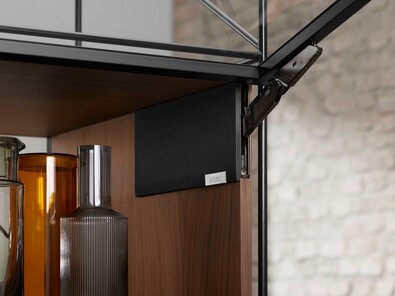
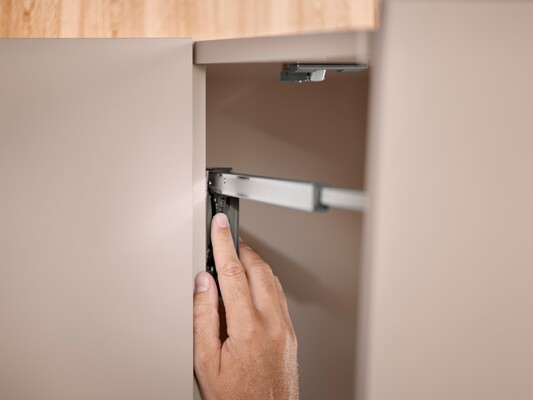
8. Adjust the door in three dimensions
After the lift force is close, adjust the door gaps.
Focus on:
- Height
- Side-to-side reveal
- Depth or front-to-back alignment
Blum notes that several AVENTOS models allow three-dimensional adjustment for a precise gap layout.
Work in small turns. Check the reveal after each change.
9. Set the opening angle
Set the opening angle so the door clears ceilings, crown molding, light rails, soffits, and adjacent cabinets.
AVENTOS HK top includes opening angle adjustment, which Blum says can be changed with a screwdriver.
10. Check BLUMOTION, TIP-ON, or SERVO-DRIVE function
Confirm the selected motion technology works as intended.
BLUMOTION provides soft close on AVENTOS hardware. TIP-ON supports mechanical push-to-open for compatible handleless applications. SERVO-DRIVE adds electrical opening support on compatible AVENTOS systems.
Model-by-Model Setup and Adjustment Notes
AVENTOS HKi
Best for: premium cabinets where the lift mechanism should blend into the cabinet side.
AVENTOS HKi is Blum’s integrated stay lift option. It can be fully integrated into the side panel or semi-integrated with a cover cap. Blum notes that AVENTOS HKi can work in cabinet side panels as thin as 16 mm and supports standard heights up to 610 mm and widths up to 1828 mm.

Setup tips
AVENTOS HKi needs careful side-panel preparation. Depending on the shop setup, Blum lists several assembly options, including pre-milled raw boards, milling templates, double-shell construction, and semi-integrated milling with a cover cap.
Use AVENTOS HKi when the finished design matters as much as the motion. It is a strong fit for glass fronts, display cabinets, and clean modern cabinet runs.
Adjustment tips
Adjust AVENTOS HKi from the front. Set the lift force to the front weight, then use TORX screws for three-dimensional gap adjustment. Blum also notes that AVENTOS HKi includes an integrated opening angle stop.
AVENTOS HF Top
Best for: tall wall cabinets with large bi-fold fronts.
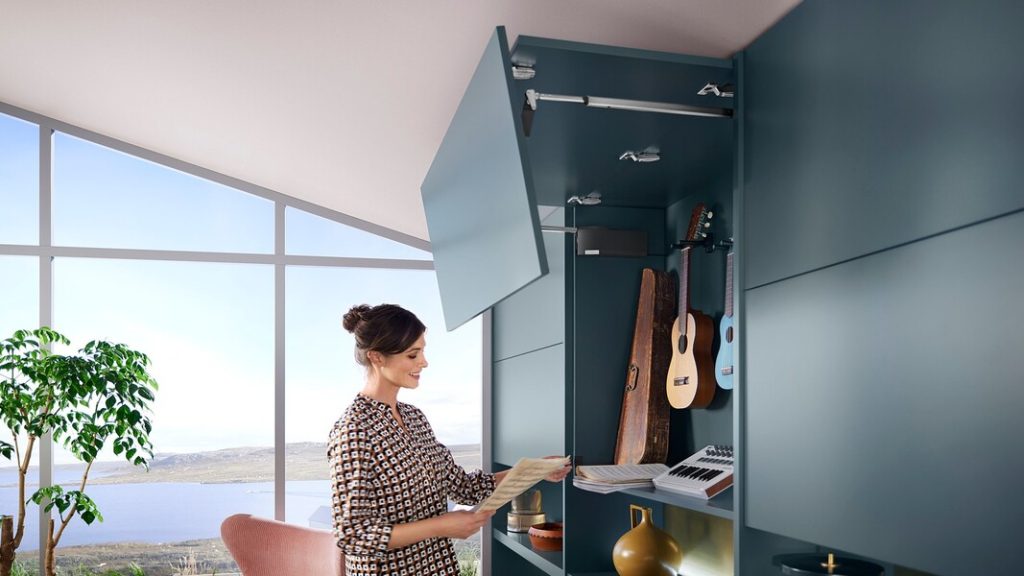
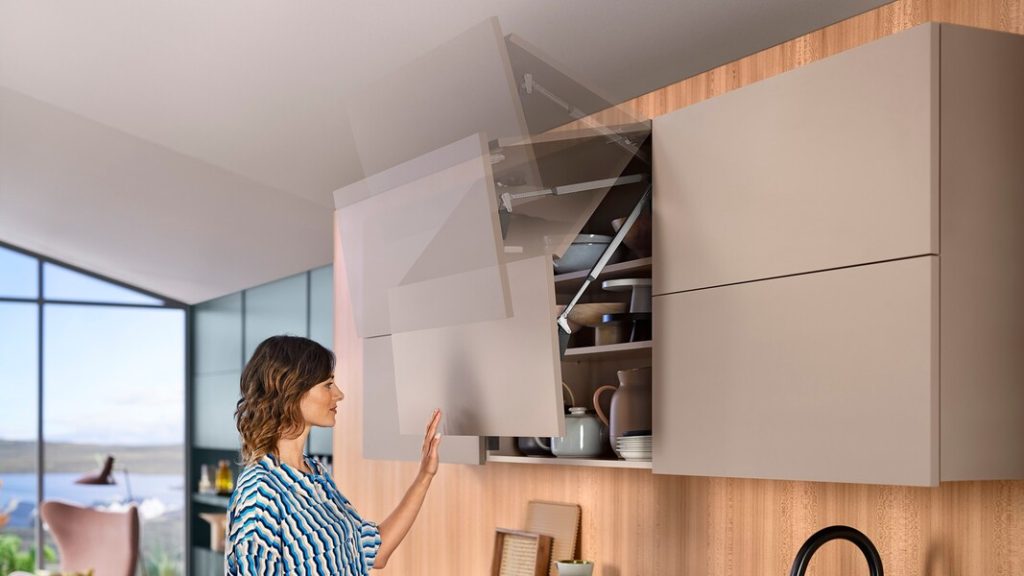
AVENTOS HF Top lets two-part fronts fold up. Use it when a single tall door would be too large or would interfere with the user when open.
Setup tips
Install the lift mechanisms and front fixing brackets based on Blum’s defined fixing positions. Blum notes that HF top offers simpler assembly with defined fixing positions and front access to lift mechanism and BLUMOTION adjustment.
Make sure the top and bottom fronts align before final adjustment. Uneven front heights or hinge positions can make the fold action feel rough.
Adjustment tips
Set the lift force first. Then adjust the front gaps in three dimensions. Check the center reveal between the two fronts, then check the outer reveals against neighboring doors.
HF top also includes an integrated opening angle stop with multiple settings, according to Blum.
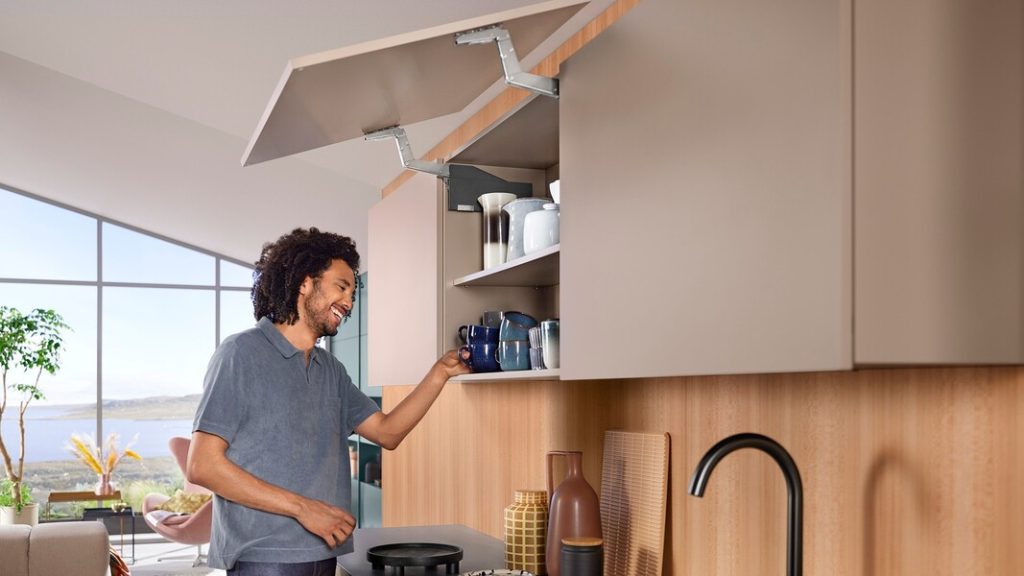
AVENTOS HS Top
Best for: large one-piece fronts that swing up and over the cabinet.
Blum states that HS Top has defined fixing positions, front lift mechanism adjustment, and no cross stabilizers required, regardless of internal cabinet width.
Setup tips
Confirm ceiling, soffit, and crown clearance before drilling. This system needs room for the door path.
Blum states that HS top has defined fixing positions, front lift mechanism adjustment, and no cross stabilizers required regardless of internal cabinet width.
Adjustment tips
Tune the lift force until the front stays in position. Then adjust the door gaps and soft-close action. Blum’s HS top resources include lift mechanism adjustment, front adjustment, BLUMOTION adjustment, and installation videos.
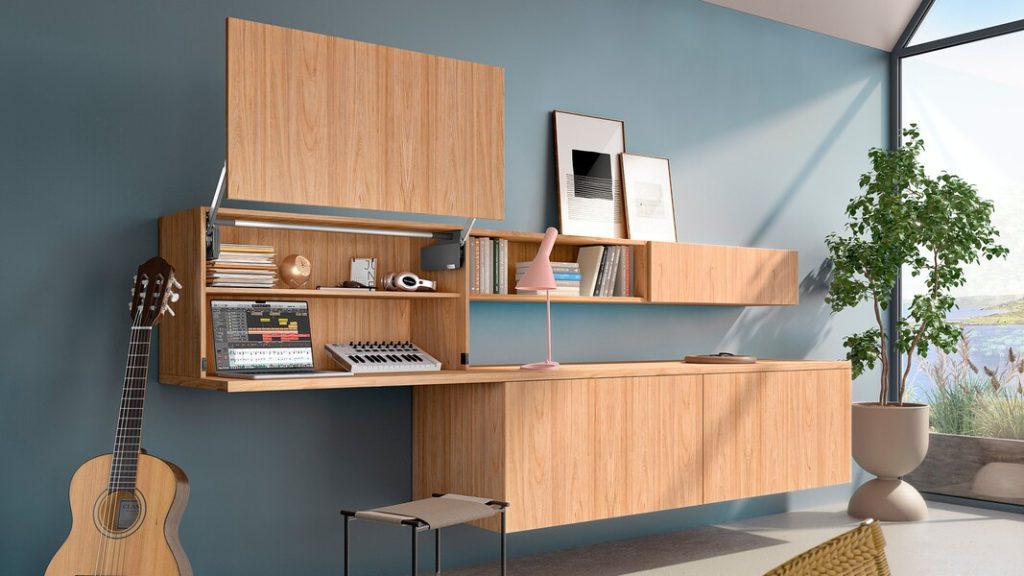
AVENTOS HL Top
Best for: one-piece fronts that lift parallel to the cabinet.
AVENTOS HL Top is a strong choice for appliance garages, workstations, and cabinets where the front should lift straight up without swinging over the top. Blum describes HL top as well suited for wall cabinets or appliance garages. Blum lists AVENTOS HL top for cabinets 300 mm to 580 mm high and up to 1828 mm wide.
Setup tips
Check vertical travel. The front moves parallel to the cabinet, so make sure it will not conflict with the countertop, nearby cabinets, lighting, or trim.
Blum notes that HL top uses a defined fixing position and allows front adjustment of the lift mechanism and adaptive BLUMOTION.
Adjustment tips
Set the lift mechanism to the front weight so the door holds where placed. Then adjust height, side reveal, and depth until the closed front sits flush and even.
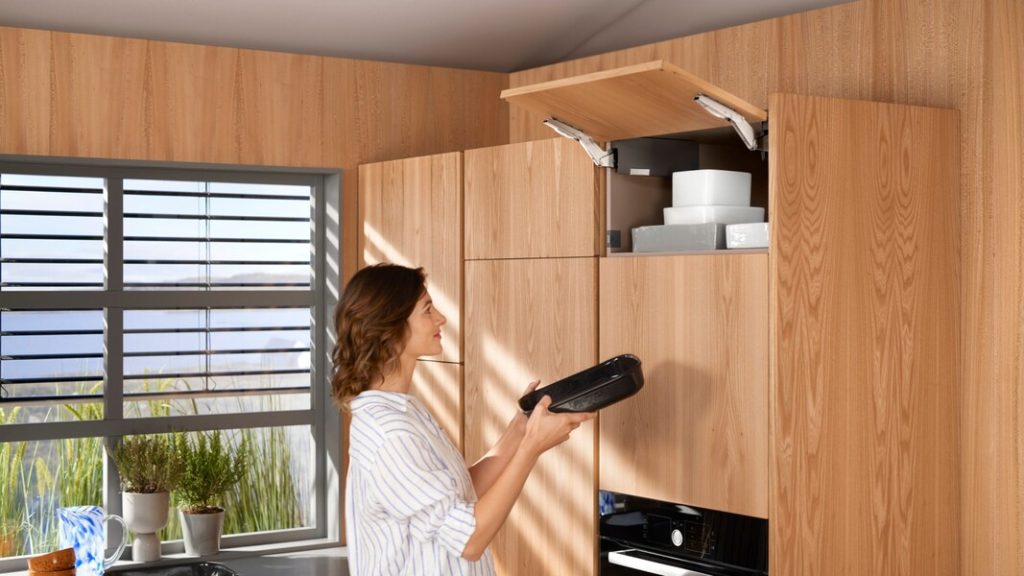
AVENTOS HK Top
Best for: large and small wall cabinets with a single stay-lift front.
AVENTOS HK top is one of the most flexible AVENTOS options for standard wall cabinet layouts. Blum lists HK top for cabinet heights from 205 mm to 610 mm and widths up to 1828 mm.
Setup tips
Use the integrated positioning template to reduce layout time. Blum states that HK top’s symmetrical lift mechanisms eliminate the need for measuring and pre-drilling in many applications.
This model works well when shops need one clean, repeatable solution across many cabinet sizes.
Adjustment tips
Adjust the lift mechanism without removing the cover caps. Then use TORX adjustment for the three-dimensional gap layout. Set the opening angle so the front does not hit ceilings, crown molding, or adjacent cabinets.
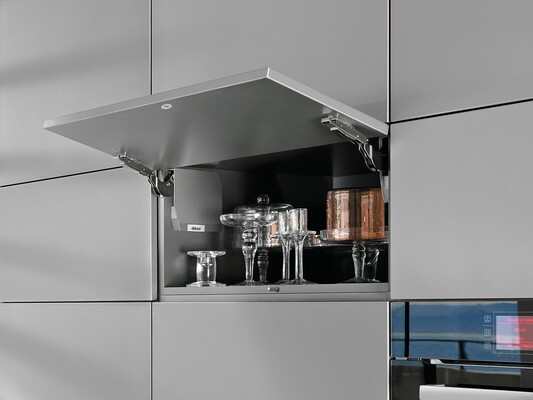
AVENTOS HK-S
Best for: small wall cabinets, refrigerator cabinets, and pantry-top cabinets.
AVENTOS HK-S is built for smaller, lighter doors. Blum states that HK-S is designed for small wall cabinets and works well above refrigerators and pantries.
Setup tips
Do not overspec the mechanism. Match the mechanism to the cabinet height, width, and door weight. Blum notes that three mechanisms cover the HK-S range, which helps simplify ordering.
Adjustment tips
After clipping the door to the lever assembly, adjust the power setting until the door holds in position. Blum notes that HK-S doors adjust in three dimensions for fit.
Use opening angle restriction clips when the door must stop lower due to overhead limits.
AVENTOS HK-XS
Best for: small wall cabinets, built-ins, and compact applications.
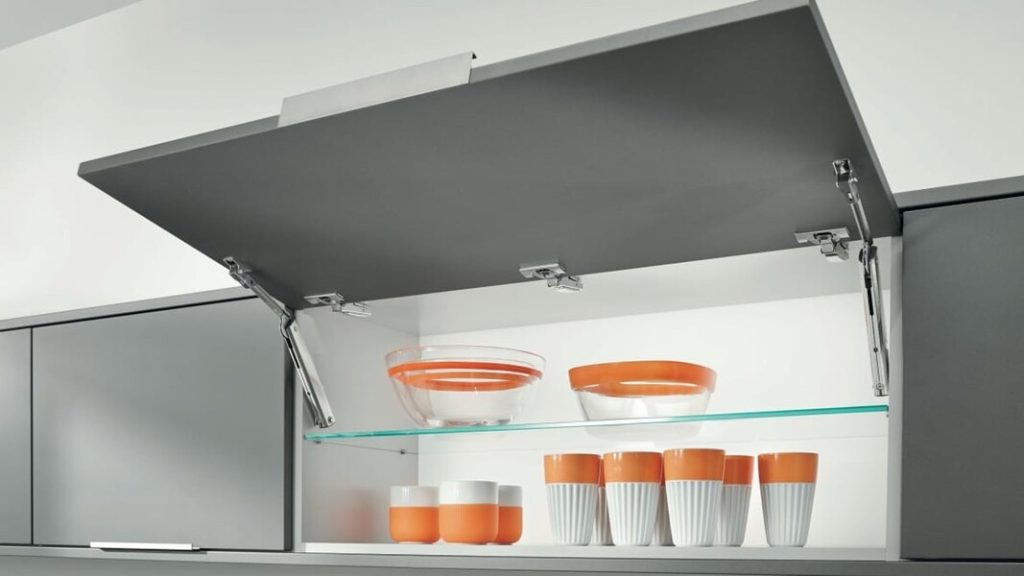
AVENTOS HK-XS is a compact stay-lift system for small cabinets. It is often paired with compatible Blum hinges, depending on the closing feature needed.
Setup tips
Confirm the hinge choice before installation. Blum notes that HK-XS can be combined with CLIP top BLUMOTION, COMPACT CLIP, or COMPACT BLUMOTION hinges for soft and effortless closing.
HK-XS lift mechanisms and mounting plates are symmetrical, so they can work on either side of the cabinet.
Adjustment tips
Use the variable power setting to match the door weight. Then adjust the hinge and lift system until the front aligns cleanly in three dimensions.
Common AVENTOS Adjustment Problems and Fixes
| Problem | Likely cause | Fix |
|---|---|---|
| Door drifts down | Lift force is too low | Increase the power setting |
| Door springs open | Lift force is too high | Reduce the power setting |
| Uneven side reveal | Front needs lateral adjustment | Adjust side-to-side position |
| Door sits proud | Depth is off | Adjust front-to-back position |
| Door hits ceiling or crown | Opening angle is too high | Add or adjust the opening angle stop |
| Door closes too hard | BLUMOTION or force setting needs tuning | Check soft-close and power setting |
| Bi-fold front binds | HF top fronts are not aligned | Recheck hinge, center reveal, and front brackets |
| Door does not hold mid-travel | Wrong mechanism or poor force setting | Verify parts and reset lift force |
Installer Tips for a Cleaner Job
Use the Right Template
Templates reduce layout errors, especially on repeat cabinet runs. This matters most on shop-built projects where every minute of rework cuts into margin.
Adjust Lift Force Before Chasing Gaps
If the power setting is wrong, the front will not behave correctly. Set the lift force first, then align the gaps.
Make Small Adjustments
Use small turns and check the front after each change. Large changes can make the door harder to diagnose.
Check Clearance with the Actual Jobsite Conditions
Ceiling height, crown molding, light rail, and adjacent cabinets all affect the final opening angle.
Keep Current Instructions on Hand
Blum updates product documents and videos. Use the current instructions for the exact model, front type, and application.
Final Takeaway: How to Set Up and Adjust Blum AVENTOS Lift Systems
Set up Blum AVENTOS lift systems by matching the model to the cabinet, installing the lift mechanisms with the correct layout, clipping on the front, adjusting lift force to the door weight, then fine-tuning the gaps and opening angle.
For professional cabinet shops and installers, the biggest time savers are accurate part selection, clean boring, proper lift-force adjustment, and final clearance checks before the job leaves the shop.